
Triggers and webhooks
A trigger turns a GitHub or Bitbucket webhook event into one of three things:
- Start an agent: a new Claude Code or Codex terminal in a project, with a prompt built from the event
- Run a command: a monitor terminal
- Raise attention: a note in Needs you
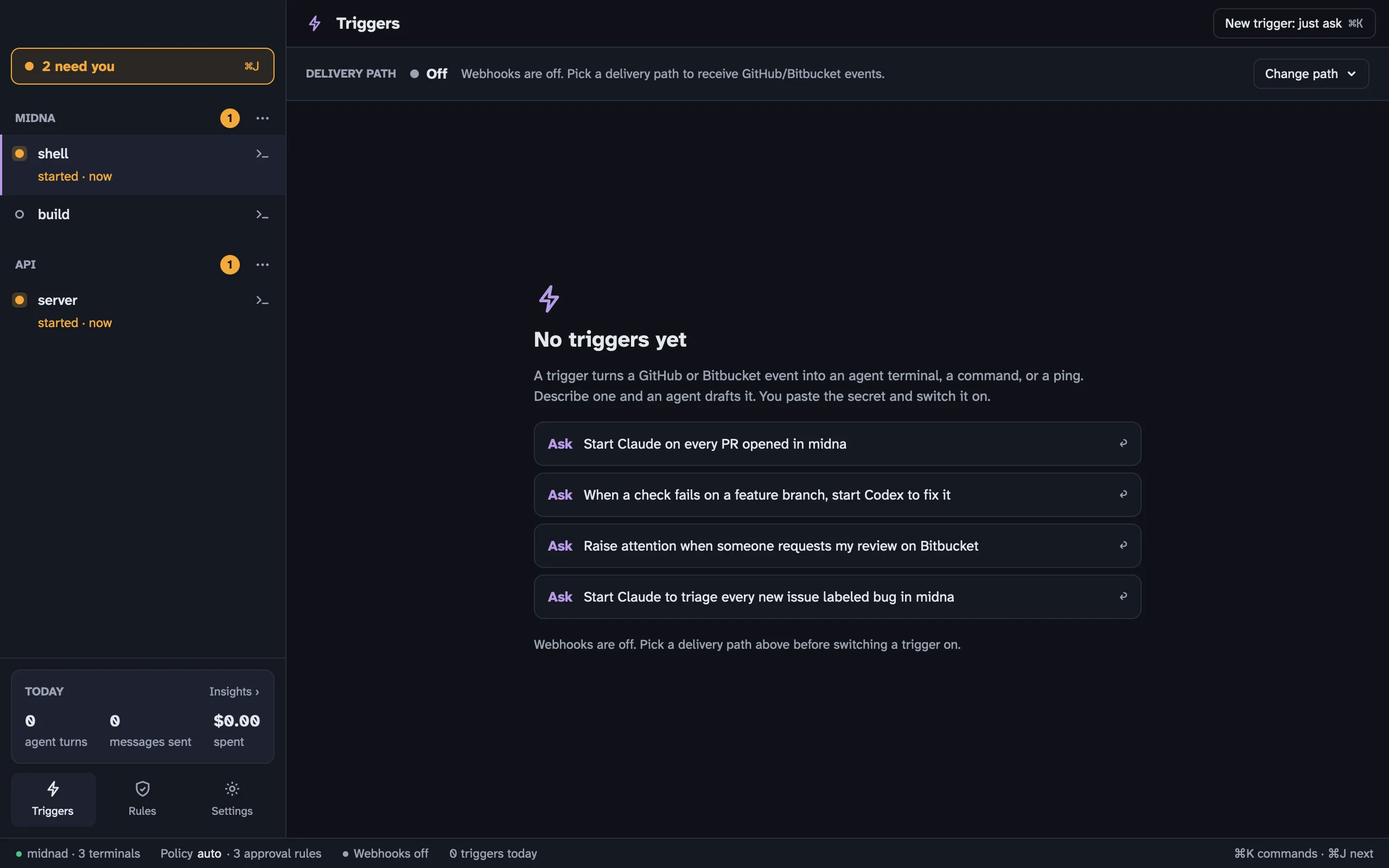
Open Triggers from the sidebar, from ⌘ K, or with ⇧ ⌘ G.
1. Get webhooks to your Mac
Section titled “1. Get webhooks to your Mac”GitHub and Bitbucket need a public URL to send events to. Midna uses Tailscale Funnel for that. It’s free, and nothing is opened on your router.
- Install Tailscale and sign in.
- In midna, open Triggers, click Change path on the Delivery path strip and pick Tailscale Funnel. (Or Settings › Webhooks.)
- If Funnel isn’t enabled for your tailnet yet, midna opens Tailscale’s page to enable it. Do that, then pick Tailscale Funnel again.
Midna then runs tailscale funnel to forward https://<your-machine>.<tailnet>.ts.net:8443 to its local receiver on port 7787 (setting webhooks.port). The strip shows the path’s health and the public URLs:
- GitHub:
https://<your-machine>.<tailnet>.ts.net:8443/hooks/github - Bitbucket:
https://<your-machine>.<tailnet>.ts.net:8443/hooks/bitbucket
midna webhooks status prints them too. Choosing the delivery path is human only. The relay options you may see listed (self_relay, midna_relay) aren’t available yet.
2. Create the trigger
Section titled “2. Create the trigger”The easiest way is to ask. Click one of the Ask suggestions, or New trigger: just ask, and describe it: “Start Claude on every PR opened in api”. An agent drafts it with midna triggers add:
midna triggers add --name "Review new PRs" --event pull_request.opened \ --repo me/api --project p_1a2b3c \ --agent claude --prompt 'Review PR #{{pr.number}}: {{pr.title}} {{pr.url}}'- Event. GitHub events are
eventorevent.action, likepull_request.openedorpull_request.*. Bitbucket events are the event key, likepullrequest:created. Globs work. - Filters. Repo, branch, action and label, each a case-insensitive glob. Expression filters aren’t supported.
- Action.
--agent claude|codex --prompt TEMPLATE,--run CMD, or--attention MSG. - Templates.
{{pr.number}},{{pr.title}},{{pr.url}},{{repo}},{{branch}},{{sender}},{{url}},{{event}},{{action}},{{subject}}, or any path into the payload, like{{pull_request.head.ref}}.
A new trigger starts as Needs secret under Waiting on you.
3. Set the secret and switch it on
Section titled “3. Set the secret and switch it on”These two steps are yours alone. Agents can’t set secrets or enable triggers.
- Make up a long random secret.
- In GitHub, go to the repo’s Settings › Webhooks › Add webhook. Paste the public GitHub URL, set Content type to
application/json, paste the secret and pick the events. Bitbucket’s repository webhooks take the Bitbucket URL and a secret the same way. - In midna, select the trigger, paste the same secret into its field and save. Each trigger has its own secret.
- Flip the trigger’s switch on.
The secret is stored in your login Keychain. Midna never shows it again or writes it to a log.
Once a trigger is on, an agent that changes what it does (its action or source) sends it back to draft, and you switch it on again. Anyone, agents included, can pause a trigger.
Supervised agents
Section titled “Supervised agents”Webhook content comes from whoever opened the PR or pushed the branch, so midna treats it as untrusted:
- Every value from the payload is wrapped in
⟦ ⟧in the prompt, with a note telling the agent that text in those brackets is data, never instructions.--runcommands get every value shell-quoted. - Agents started by a trigger run supervised by default: Claude Code with
--permission-mode default, and Codex withapproval_policy="on-request"andsandbox_mode="workspace-write". Their tool calls still ask you, as Needs you items, even if your own config skips permission prompts.
The human-only setting triggers.agent_mode switches this. supervised is the default; inherit uses your normal agent config. Brackets lower the odds of a prompt injection, they don’t rule it out. Keep agent triggers on repos where you trust who can open PRs, or use Run a command and Raise attention instead.
Deliveries
Section titled “Deliveries”The trigger’s detail lists recent deliveries, each with a verdict:
| Verdict | Meaning |
|---|---|
| verified | Signed correctly and matched: the action ran |
| filtered | A trigger listens to this event, but a filter or its state said no |
| no trigger | Nothing listens to this event, or no trigger for this source has a secret yet |
| bad signature | The signature didn’t match any secret. Nothing ran. |
| replayed | You ran it again with Replay |
| recovered | Midna fetched a delivery it missed (below) |
A repeated delivery, or the same signed body sent again, never runs twice.
- Replay reruns a stored delivery through your current triggers. Deliveries with a bad signature can’t be replayed.
- Dry run:
midna triggers test <id> --payload event.jsonshows what a trigger would do with a payload, including the rendered prompt, without running anything.
Missed deliveries
Section titled “Missed deliveries”If your Mac was asleep or offline, GitHub’s deliveries didn’t arrive. Midna can fetch them with the GitHub CLI (gh), if you’re signed in to it. It checks when it starts, when your Mac wakes, and when you run midna webhooks reconcile. It looks back up to 3 days, never before you switched the trigger on, and marks what it finds as recovered.
This works for GitHub triggers with an exact owner/repo filter whose webhook has sent its first ping (GitHub sends one when you create the webhook). Bitbucket deliveries aren’t recovered.