Dictation with Kass
Kass is a private dictation app for Apple Silicon Macs. Midna works with it: when you dictate into a midna terminal, the text lands in a composer under the terminal, where you can read and fix it before it’s sent.
How it works
Section titled “How it works”- Select a terminal in midna and start dictating with your Kass chord.
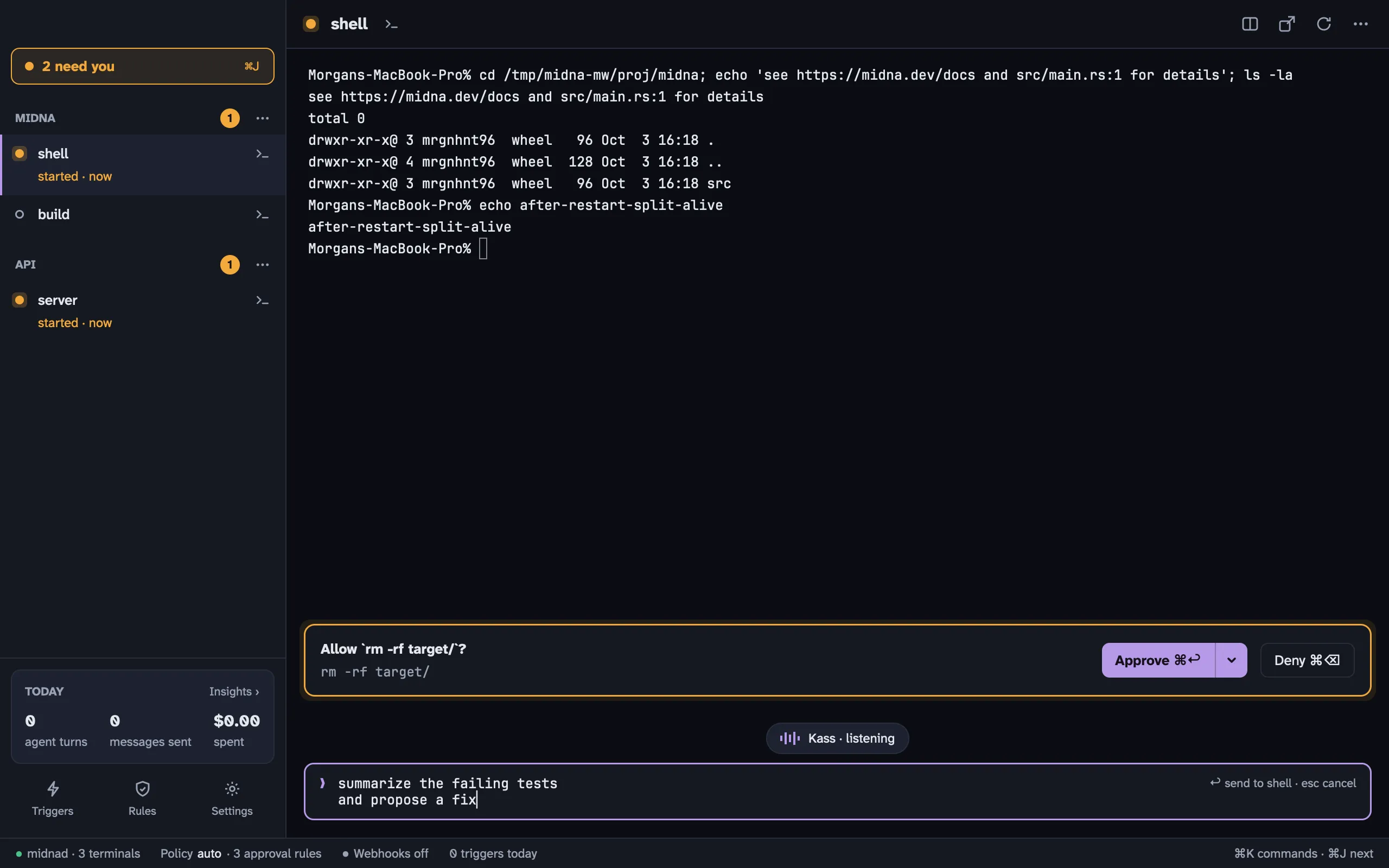
- Kass tells midna it’s about to type. Midna opens the composer under the terminal, with a Kass · listening pill, and puts the cursor in it.
- When you stop, Kass inserts the cleaned-up text into the composer.
- Read it over, edit if you like, and press ↩ to send it to the terminal. esc throws it away.
If an agent is running in the terminal, the whole text arrives as one message, even across several lines. ⇧ ↩ adds a new line in the composer.
To skip the review step, turn on kass.auto_send in Settings › Agents. The text is then sent as soon as Kass finishes, unless the dictation was cancelled or failed.
The composer only opens when midna’s main window is in front showing a terminal, with nothing on top of it (no ⌘ K, Needs you, Rules, Triggers or Insights). Otherwise Kass types the way it does in any other app.
Setting it up
Section titled “Setting it up”You need a version of Kass that supports the dictation handshake. There’s nothing to turn on in midna. Settings › Agents › Kass says Handshake detected once Kass has talked to midna.
Kass needs its usual permissions to type for you. Midna’s own Accessibility permission is optional; read the note on the security page before you grant it.
Typing long prompts by hand
Section titled “Typing long prompts by hand”The composer isn’t only for dictation. Press ⇧ ⌘ D to open it under the selected terminal and type or paste a long prompt with normal Mac text editing, then ↩ to send.